
Creating a Comfortable Gaming and Business Setup with Chairs and Phone Gear
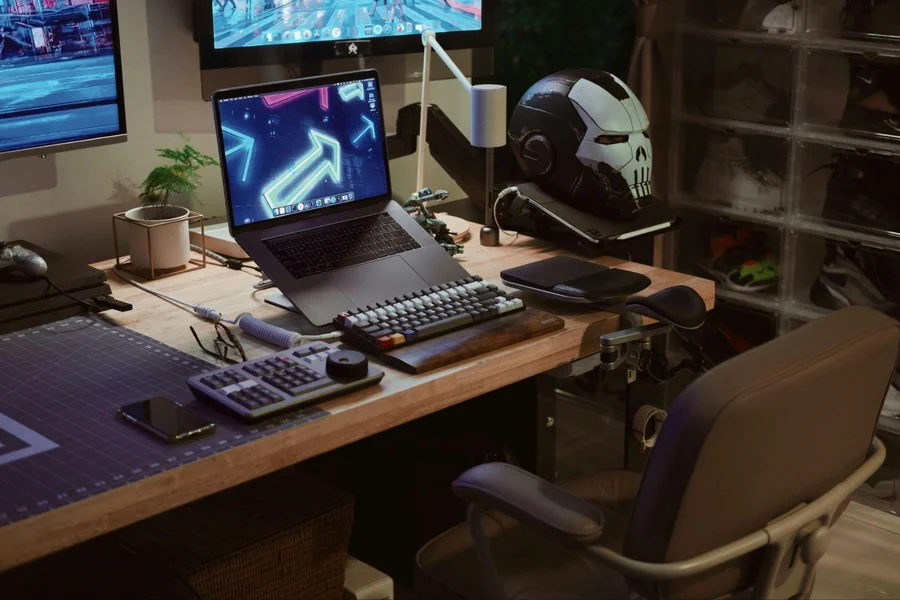
Your workspace is more than just a place to sit. It’s where you conquer virtual worlds, meet deadlines, and spend countless hours chasing goals. Whether you’re grinding through a marathon gaming session or powering through back-to-back video calls, the right setup can mean the difference between ending the day energized or nursing a sore back.
The modern professional and gamer needs equipment that works as hard as they do—gear that supports their body, enhances their performance, and adapts to whatever challenge comes next. From the chair beneath you to the phone in your hand, every piece of your setup plays a crucial role in your comfort and success.
Understanding the Importance of an Ergonomic Setup
Why Ergonomics Matter for Gamers and Professionals
Ergonomics isn’t just a buzzword tossed around by office furniture salespeople. It’s the science of designing environments that fit the human body, and it matters tremendously for anyone spending hours at a desk. When your setup ignores ergonomic principles, your body pays the price. Chronic pain creeps in slowly—first a twinge in your lower back, then persistent neck stiffness, and before you know it, simple tasks become uncomfortable ordeals.
The benefits of proper ergonomics extend far beyond pain prevention. When your body isn’t fighting against poorly designed furniture, your mind can focus entirely on the task at hand. Gamers notice improved reaction times and sustained concentration during clutch moments. Professionals experience fewer mental breaks and maintain sharper decision-making throughout the day. Your body’s energy gets directed toward productivity rather than compensating for discomfort.
Long-term health implications make ergonomics even more critical. Repetitive strain injuries, herniated discs, and carpal tunnel syndrome don’t develop overnight—they’re the cumulative result of thousands of hours in poorly designed spaces. An ergonomic setup acts as preventive medicine, protecting your body from damage that could affect your quality of life for decades.
Key Elements of an Ergonomic Setup
Building an ergonomic workspace starts with understanding the fundamental components. Adjustability is king. Your chair should offer height adjustment, recline options, and movable armrests that accommodate your unique body dimensions. Desks benefit from height adjustment too, allowing you to switch between sitting and standing positions throughout the day.
Monitor positioning deserves careful attention. Your screen should sit at arm’s length, with the top of the display at or slightly below eye level. This prevents the forward head posture that strains neck muscles and compresses spinal discs. Phone placement matters just as much—constantly looking down at devices creates the modern epidemic of “tech neck.”
Supportive accessories fill the gaps that standard furniture leaves behind. Wrist rests cushion your forearms during long typing sessions. Footrests ensure shorter individuals can maintain proper leg angles even when chairs don’t descend low enough. Lumbar cushions add targeted support exactly where your spine needs it most.
Posture awareness ties everything together. The best equipment in the world won’t help if you slouch or twist awkwardly. Developing consciousness of how you hold your body transforms good furniture into an effective support system.
Choosing the Right Gaming Chair
Features to Look for in a Gaming Chair
Not all chairs are created equal, and gaming chairs bring specific advantages to the table. Start with a gaming chair for back pain that offers comprehensive lumbar support. The lower back carries significant load during sitting, and proper support maintains the spine’s natural curve rather than letting it collapse into a harmful C-shape.
Height adjustment is non-negotiable. Your feet should rest flat on the floor with thighs parallel to the ground and knees bent at roughly 90 degrees. This position promotes healthy circulation and prevents pressure points that cause legs to fall asleep. Pneumatic height mechanisms make adjustments quick and effortless.
Recline functionality adds versatility to your seating. Sometimes you need to sit upright and alert during competitive matches or important presentations. Other moments call for a slight recline that reduces spinal pressure during casual gaming or reading. Quality chairs offer multiple recline positions with reliable locking mechanisms.
Armrest adjustability often gets overlooked, but it matters tremendously. Arms that hang unsupported strain shoulder muscles and contribute to upper back tension. Adjustable armrests should move up and down, side to side, and ideally rotate to support various activities from gaming to typing to phone use.
Breathable materials keep you comfortable during extended sessions. Leather looks sleek but traps heat and causes sweating. Mesh fabrics or specialized breathable synthetics allow air circulation that keeps you cool and dry even during intense moments.
Top Gaming Chair Accessories to Enhance Comfort
Even premium chairs benefit from thoughtful accessories. Memory foam cushions add customizable support exactly where you need it. Place one behind your lower back for additional lumbar reinforcement or beneath your hips for extra padding during ultra-long sessions.
Seat covers serve multiple purposes beyond aesthetics. Cooling gel covers dissipate heat during summer months. Heated covers provide comforting warmth when temperatures drop. Both options extend the functional range of your chair across different seasons and personal preferences.
Headrest pillows support the cervical spine and prevent the forward head posture that plagues desk workers. They’re particularly valuable during breaks when you want to recline and rest without leaving your chair. Some designs attach via straps while others clip directly onto chair backs for secure positioning.
Footrests deserve consideration even if they’re not technically chair accessories. Elevating your feet slightly reduces pressure on the back of your thighs and promotes better circulation. This becomes especially important during marathon sessions that stretch across multiple hours.
Comparing Gaming Chairs vs. Standard Office Chairs
Standard office chairs prioritize professional aesthetics and basic comfort. They get the job done for traditional office work but often lack the robust adjustability and support that gamers and modern professionals need. Their cushioning tends to compress quickly under extended use, and their frames may not withstand the dynamic movements that gaming involves.
Gaming chairs bring aggressive styling that might feel out of place in corporate boardrooms, but their functional advantages are undeniable. They’re engineered for people who spend 8, 10, or even 12 hours seated. High-density foam maintains its shape across years of use. Reinforced frames handle shifting weight during intense gameplay. The bucket-seat design provides lateral support that keeps your spine aligned even when you’re leaning into action.
The investment difference reflects these enhanced capabilities. Quality gaming chairs cost more upfront but deliver superior longevity and comfort. For anyone spending significant time seated—whether conquering games, crunching numbers, or creating content—the extra expense pays dividends in reduced pain and sustained performance.
Enhancing Your Gaming Experience with Accessories
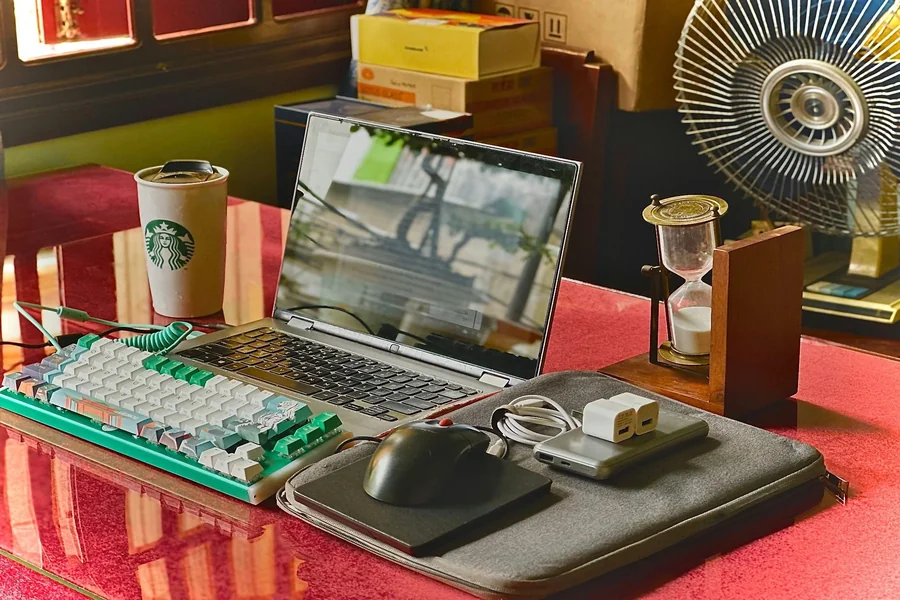
Essential Gaming Accessories
Controllers bridge the gap between mobile gaming and traditional console experiences. Bluetooth controllers compatible with phones and computers provide consistent input across platforms. Specialized mobile controllers attach directly to your device for portable gaming with physical buttons.
Headsets transform audio from background noise into immersive soundscapes. Quality gaming headsets deliver directional audio that lets you pinpoint enemy footsteps or appreciate musical scores. Integrated microphones with noise cancellation ensure clear communication with teammates without broadcasting every keyboard click and background noise.
VR gear represents the cutting edge of immersive gaming. While demanding significant space and investment, virtual reality creates experiences impossible on traditional screens. Even for non-VR setups, VR-ready equipment future-proofs your investment as the technology becomes more mainstream.
External cooling solutions prevent thermal throttling during intensive sessions. Laptop cooling pads with built-in fans pull heat away from your device. Desktop fan configurations ensure optimal airflow around high-performance components. Keeping equipment cool maintains performance and extends hardware lifespan.
LED lighting adds personalization without impacting functionality. Customizable RGB strips create atmosphere and help distinguish different zones within your space. Bias lighting behind monitors reduces eye strain by decreasing the contrast between bright screens and dark rooms.
Cable management tools seem mundane but dramatically improve your space. Velcro straps bundle loose cables. Cable raceways route wires along desk edges. Under-desk cable trays hide power strips and excess cable length. Clean cable routing prevents tangling, improves aesthetics, and makes cleaning easier.
How Accessories Improve Comfort and Performance
The right accessories do more than look cool—they actively reduce physical strain. Ergonomic mice prevent the wrist rotation that leads to repetitive strain injuries. Mechanical keyboards with proper key travel reduce finger impact stress compared to laptop keyboards. Split keyboards encourage natural arm positioning that reduces shoulder tension.
Performance improvements come from better control and feedback. High-precision gaming mice track tiny movements accurately, giving you an edge in competitive scenarios. Mechanical keyboard switches provide tactile feedback that improves typing speed and reduces errors. Quality headsets deliver audio cues that help you react faster to in-game events.
Clutter reduction enhances focus by removing visual distractions. When your desk is organized and cables are managed, your eyes don’t constantly catch on disorder. Your mind remains focused on the screen rather than processing environmental chaos. This mental clarity translates directly into better performance whether gaming or working.
Setting Up Your Workspace for Maximum Productivity
Desk Organization Tips
Desk height and chair alignment form the foundation of proper ergonomics. When seated with proper posture, your elbows should bend at approximately 90 degrees with forearms parallel to the floor. This position allows your wrists to remain straight while typing or mousing, preventing strain on delicate tendons and nerves.
Monitor placement requires careful consideration. Center your primary display directly in front of you to avoid twisting your neck. Secondary monitors should angle slightly inward for comfortable viewing without extreme head rotation. The top of your screen at eye level prevents the downward gaze that compresses cervical discs.
Phone and accessory placement should follow the principle of frequent use equals close proximity. Items you grab constantly—your phone, water bottle, frequently used controllers—belong within easy reach. Less-used items can migrate to secondary zones. This organization minimizes reaching and twisting that strains your back.
Cable management transforms chaotic workspaces into clean, professional environments. Start by using power strips with enough outlets to eliminate splitters and adapters. Route cables along desk edges using adhesive clips or raceways. Label cables at both ends for easy identification during troubleshooting. Bundle excess cable length with Velcro straps rather than letting it pile beneath your desk.
Lighting and Ambience for Focus
Natural light provides the healthiest illumination for work and gaming spaces. Position your desk perpendicular to windows when possible—facing windows creates glare on screens while having windows behind you causes harsh backlighting. Side lighting provides adequate brightness without compromising screen visibility.
Adjustable lamps supplement natural light and illuminate workspaces after dark. Task lamps with dimmer switches let you customize brightness for different activities. Cooler color temperatures promote alertness and focus during work hours. Warmer tones create relaxing ambience for casual gaming or evening wind-down.
LED accent lighting serves both aesthetic and functional purposes. RGB strips behind monitors create gentle bias lighting that reduces eye strain by decreasing the contrast between bright screens and dark rooms. This ambient glow reduces pupil dilation and constriction that causes eye fatigue during long sessions.
Lighting directly impacts posture. Poor lighting forces you to lean forward to see details or crane your neck to avoid glare. Proper illumination lets you maintain neutral posture because everything is clearly visible. This prevents the creeping slouch that develops when squinting at dim screens or struggling to see in overly bright environments.
Integrating Your Phone Gear into Your Setup
Choosing Accessories for Your iPhone 16
Your phone is a productivity powerhouse that deserves proper integration into your workspace. The M1 offers incredible capabilities, but accessing them efficiently requires thoughtful iPhone and accessory choices.
Desktop stands and docks transform your phone from a handheld device into a second screen. Adjustable stands position your device at eye level, preventing the downward neck bend that causes strain. Docks with charging capabilities ensure your phone stays powered throughout the workday without cable clutter.
Wireless chargers eliminate fumbling with cables and keep your workspace clean. Modern fast-charging pads power up your device quickly during breaks. Some models include cooling features that prevent heat buildup during intensive charging cycles.
Protective gear matters too. Screen protectors guard against scratches from accidental stylus slips or desk debris. Quality cases protect your investment from drops without adding excessive bulk. Consider cases with integrated kickstands for hands-free video viewing during breaks.
Bluetooth keyboards and mice might seem redundant when you have a computer, but they excel for certain workflows. Responding to messages or editing documents directly on your phone becomes faster and more comfortable with full-sized peripherals. This versatility shines during travel or when you want to work from different areas of your space.
Using Your Phone Efficiently in Work and Gaming
Modern phones blur the line between work and play, but managing them wisely prevents both from suffering. Notification management is crucial. Constant buzzing and pinging fracture your attention and demolish productivity. Configure Do Not Disturb schedules that silence non-critical alerts during focus periods while allowing important calls through.
Multi-tasking capabilities on advanced phones let you run multiple apps simultaneously. Split-screen modes enable monitoring social feeds while gaming or keeping communication apps visible during work sessions. Picture-in-picture video windows let you watch tutorials or streams without fully switching contexts.
Syncing gaming and productivity apps creates seamless workflows. Cloud storage services ensure files are accessible across all devices. Password managers remember credentials without forcing you to type them repeatedly. Calendar apps coordinate your schedule whether you’re checking from your phone, computer, or tablet.
Gaming-specific uses extend beyond playing mobile games. Streaming apps let you continue console or PC games on your phone when you need to step away from your main setup. Companion apps for popular games provide maps, guides, and community features that enhance your primary gaming experience.
Preventing Back Pain and Fatigue
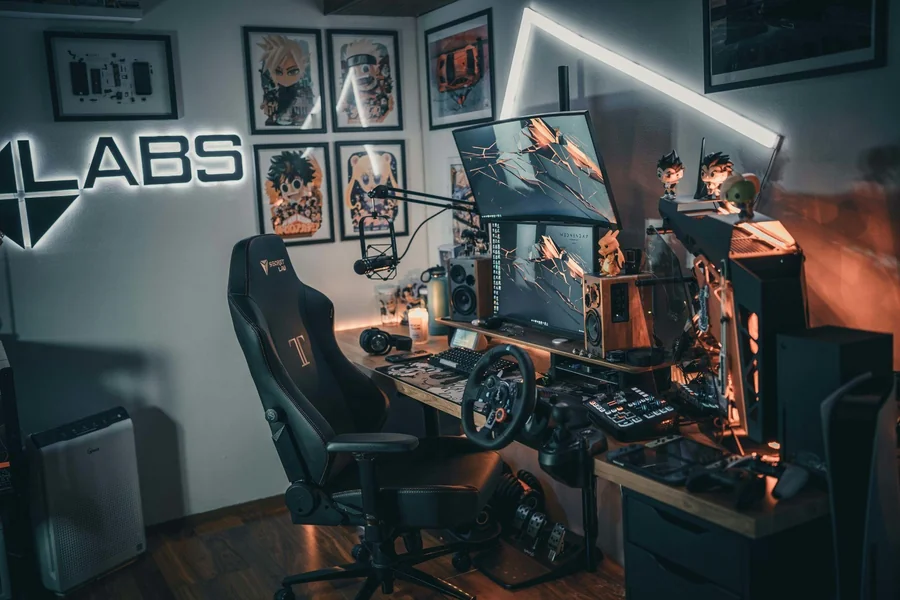
Correct Sitting Posture
Proper sitting posture starts from the ground up. Plant your feet flat on the floor with your full sole making contact. This stable base distributes weight evenly and prevents pressure points. If your chair sits too high for flat-footed positioning, add a footrest to bridge the gap.
Knee angles should hover around 90 degrees. This position maintains healthy circulation by preventing pressure on blood vessels behind your thighs. Too acute an angle compresses vessels and causes legs to fall asleep. Excessive extension puts strain on knee joints and encourages slouching.
Back support is non-negotiable for long-term comfort. Sit all the way back in your chair so the backrest fully contacts your spine. The lumbar curve of your lower back should nest into the chair’s lumbar support. This maintains your spine’s natural S-curve rather than letting it collapse into a pain-causing C-shape.
Screen positioning affects upper body posture dramatically. Your monitor should sit roughly arm’s length away with the top of the display at or slightly below eye level. Your phone deserves similar consideration—mount it on a stand rather than constantly looking down. This positioning keeps your head balanced over your spine rather than jutting forward in the “text neck” posture that strains cervical muscles.
Regular Breaks and Exercises
Even perfect posture becomes problematic when maintained too long. The human body evolved for movement, and static positions create their own problems. Set a timer to remind yourself to stand and move every hour. Even brief breaks dramatically reduce muscle fatigue and restore circulation.
Stretching routines don’t need to be elaborate. Simple neck rolls release tension in cervical muscles. Shoulder shrugs and backward rolls open the chest and counter the forward-slouching tendency. Spinal twists while seated mobilize vertebrae and refresh spinal discs. Standing and reaching toward the ceiling extends your spine and reverses the compression from sitting.
Posture reset exercises take seconds but deliver significant benefits. Stand against a wall with your head, shoulders, and hips touching the surface. This resets your body’s position awareness and provides a reference point for proper alignment. Practice this position several times daily until your body internalizes what “straight” feels like.
Phone apps and computer software help enforce break schedules. Productivity timers like the Pomodoro Technique build regular rest periods into your workflow. Specialized ergonomic apps remind you to stand, stretch, or adjust your posture. These digital nudges prevent the time distortion that happens during intense focus periods.
Choosing Ergonomic Accessories
Footrests solve height mismatches between chairs and desks. If your chair sits at the perfect height for your desk but leaves your feet dangling, a footrest provides the stable base your posture needs. Adjustable models accommodate different leg lengths and sitting positions throughout the day.
Ergonomic keyboards and mice prevent repetitive strain injuries by promoting natural hand positions. Split keyboards angle key clusters to match natural shoulder width. Vertical mice maintain wrist neutrality rather than forcing pronation. These specialized inputs feel strange initially but quickly become comfortable once your muscles adapt.
Mouse pads with integrated wrist rests provide cushioning and support during extended use. Memory foam options contour to your unique wrist shape while firm gel pads offer more substantial support. Both prevent the pressure points that develop from hard desk edges.
Monitor stands and phone docks elevate screens to proper eye level. Adjustable monitor arms offer infinite positioning options and free up desk space. Fixed stands work well for static setups and cost considerably less. Phone docks serve double duty by charging your device while displaying it at an ergonomically sound angle.
These accessories work together to reduce back pain over time. Proper positioning decreases muscle strain. Reduced strain means less fatigue. Less fatigue translates to better posture maintenance. Better posture prevents the cascading problems that lead to chronic pain. It’s a virtuous cycle that improves the longer you maintain it.
Combining Gaming and Business Needs in One Setup
Multi-Purpose Desk and Chair Setup
The line between work and play has blurred to near invisibility for many people. Your space needs to accommodate both without requiring complete reconfigurations. Start with a chair that excels at both uses. Gaming chairs with robust lumbar support and multiple adjustments work beautifully for professional video calls and spreadsheet marathons. Their comfort during 10-hour gaming binges translates perfectly to deadline-driven work sessions.
Desk space planning becomes crucial when serving dual purposes. You need room for multiple monitors—one for gaming or primary work, another for reference materials or communication apps. Your laptop requires a stable spot that doesn’t interfere with other devices. Phone integration means finding a location that keeps your device visible for notifications but doesn’t block screen real estate.
Accessories that serve double duty maximize value and minimize clutter. Quality headsets work equally well for gaming audio and business calls. Keyboards suitable for competitive gaming handle typing-intensive work without issue. Mice with programmable buttons adapt to different software with profile switching.
Workflow Optimization
Modern productivity demands seamless transitions between different types of work. Gaming accessories increasingly bridge into professional applications. High-refresh monitors reduce eye strain during document editing. Precision mice improve accuracy when working with detailed spreadsheets or design software. Mechanical keyboards make typing feel effortless even during lengthy reports.
Phone integration streamlines workflows by keeping communication accessible without consuming computer resources. Keep messaging apps open on your phone while your computer handles resource-intensive applications. Use your phone for quick reference lookups without interrupting focused work on your main displays. Stream background music or podcasts from your phone to separate entertainment from productivity systems.
Remote meetings benefit from gaming equipment more than most people realize. Quality gaming microphones deliver clearer audio than laptop built-ins. Webcam positioning on monitor-mounted arms provides better angles than awkward laptop placement. Good lighting that enhances gaming streams makes you look more professional on video calls.
The key is thoughtful organization that supports rapid context switching. When a work deadline arrives, you can transition from gaming to productivity without rearranging your entire setup. When the workday ends, gaming is a chair swivel away rather than a complete environmental change.
International Logistics and Global Equipment Sourcing
The global marketplace has transformed how we acquire gaming chairs, accessories, and office equipment. Many premium brands are manufactured overseas, and savvy shoppers often find better prices through international retailers. Understanding international logistics helps you make informed purchasing decisions and avoid costly surprises.
Shipping costs and delivery times vary dramatically by region and carrier. Express shipping from international sellers can cost as much as budget gaming chairs themselves. Standard shipping saves money but extends wait times to several weeks or even months. Calculate total landed costs—including shipping and potential customs duties—before committing to international purchases.
Import duties and taxes catch many buyers off guard. Your country’s customs regulations determine whether you’ll pay additional fees when equipment crosses borders. Gaming chairs and electronics often trigger duty assessments based on declared value. Research your local import thresholds to understand when purchases become subject to additional charges.
Maintaining and Upgrading Your Setup
Regular Maintenance Tips
Equipment maintenance extends lifespan and preserves performance. Chairs accumulate dust, dead skin cells, and oils from contact with your body. Vacuum upholstery regularly using an upholstery attachment. Wipe down leather or synthetic surfaces with appropriate cleaners. Check pneumatic cylinders for smooth operation and tighten any loose bolts or screws.
Gaming accessories require regular cleaning too. Keyboards collect debris between keys that affects tactile feel and can damage switches. Remove keycaps periodically and clean underneath with compressed air and cotton swabs. Mouse surfaces gather oil and grime that impacts sensor accuracy. Clean sensors and feet regularly for optimal tracking.
Desk surfaces deserve attention beyond casual dusting. Deep clean with appropriate cleaners that won’t damage finishes. Check cable management systems for wear and replace zip ties or Velcro straps that have lost their grip. Reorganize as needed to prevent clutter from creeping back into your carefully organized space.
Software and firmware updates keep your phone and accessories performing optimally. New updates often include performance improvements, security patches, and bug fixes. Schedule regular update checks rather than letting devices languish on outdated software. This prevents compatibility issues and ensures you’re accessing the latest features.
Upgrading for the Future
Even quality equipment eventually requires replacement. Chairs show their age through compressed cushioning, worn upholstery, and failing adjustment mechanisms. When your chair no longer holds adjustments or comfort has degraded noticeably, it’s time to upgrade. Don’t wait until you’re in pain—proactive replacement prevents problems.
Gaming accessories follow rapid innovation cycles. Controllers gain new features, headsets deliver better audio quality, and mice achieve higher precision. Monitor upgrade paths lead to higher refresh rates, better color accuracy, and larger screen sizes. Phones evolve constantly with improved cameras, faster processors, and enhanced features.
Emerging technology trends shape future upgrades. Monitor advances continue pushing refresh rates higher and response times lower. Wireless technology eliminates cables while matching wired performance. Ergonomic innovations create ever-more comfortable chairs and accessories. Stay informed about developments that might benefit your specific needs.
Incremental upgrades spread costs over time while maintaining peak performance. Replace one component per year rather than attempting complete overhauls. This approach prevents falling too far behind current technology while avoiding the sticker shock of replacing everything simultaneously. It also lets you evaluate new technologies individually rather than betting your entire budget on untested innovations.
Conclusion
Creating a comfortable gaming and business setup isn’t about collecting the most expensive gear or following trends. It’s about understanding your body’s needs and choosing equipment that supports long-term health while enhancing performance. The right chair prevents back pain during marathon sessions. Thoughtful phone integration keeps you connected without creating distractions. Quality accessories elevate every aspect of your experience from gaming to professional work.
Your workspace is an investment in yourself—in your productivity, your comfort, and your future health. Every hour you spend at your desk is an hour your body either suffers poor support or benefits from proper ergonomics. The choice is yours, but the consequences are undeniable. Build your setup with care, maintain it with consistency, and upgrade it strategically. Your back will thank you, your performance will improve, and those long sessions will transform from painful endurance tests into comfortable, productive experiences. The question isn’t whether you can afford good equipment—it’s whether you can afford not to invest in the space where you spend so much of your life.